About Word Add In
Apply firm playbooks, checklists, and policy rules directly as you draft in Word. Ensuring every clause and revision aligns with your standards in real time.
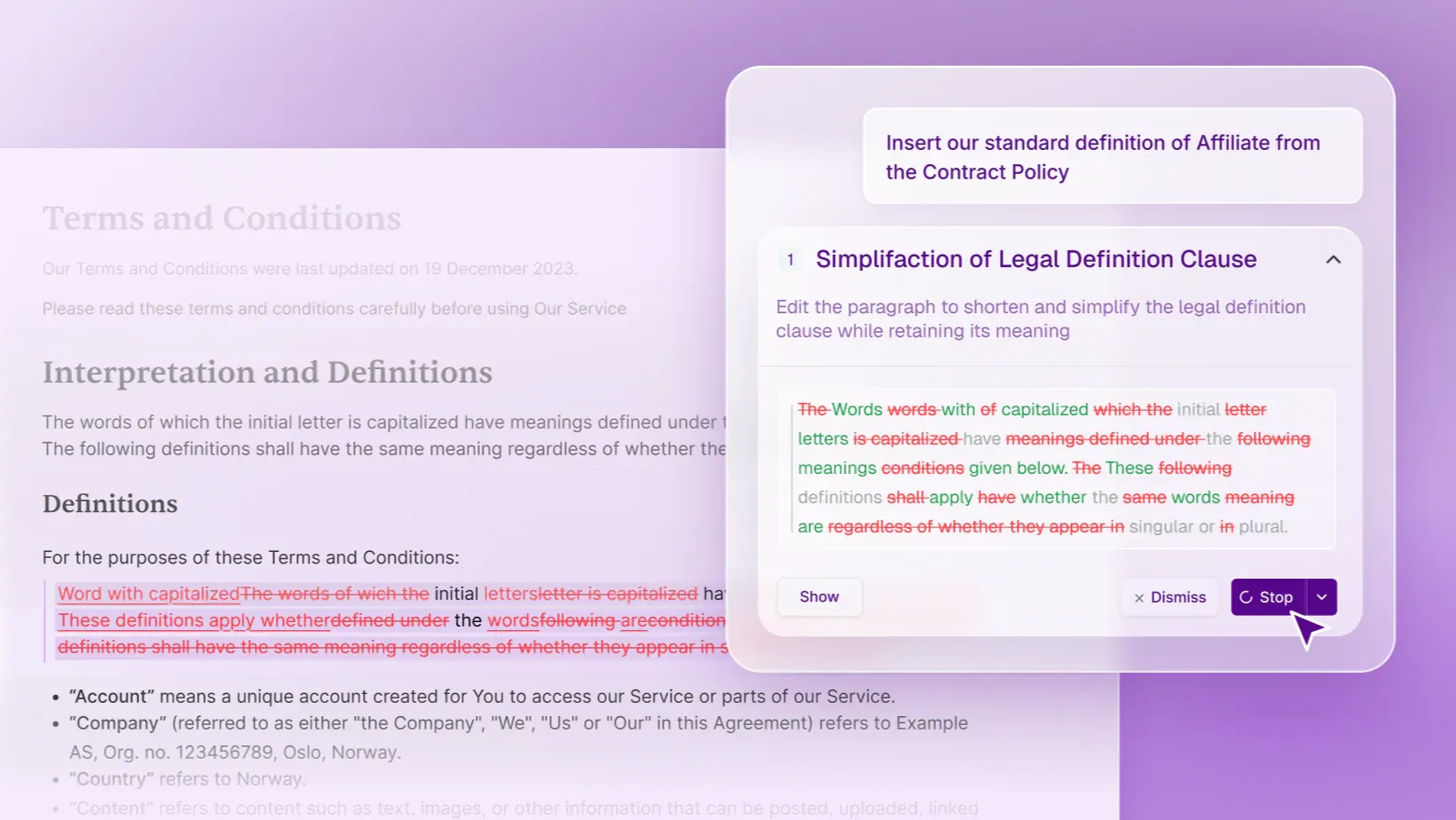
Draft and Redline
From intake to sign‑off, the Word add‑in keeps every document accurate, consistent, and cleanly redlined - so drafting and review move forward without friction.
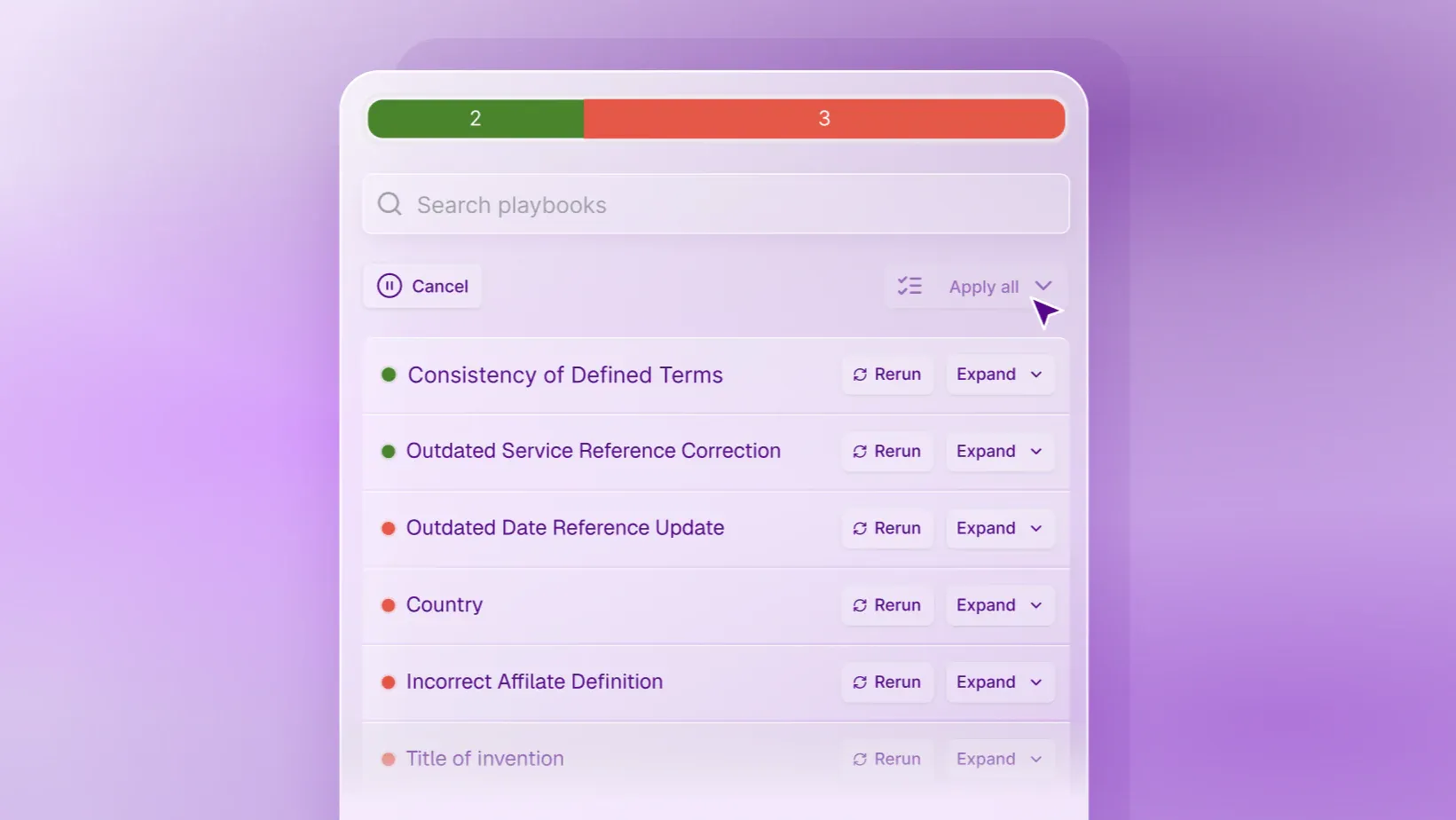
Apply Playbooks
Playbooks provide an in‑Word builder for creating and instantly testing agreement and document rules, making rule‑creation faster, clearer, and fully integrated into your drafting workflow.
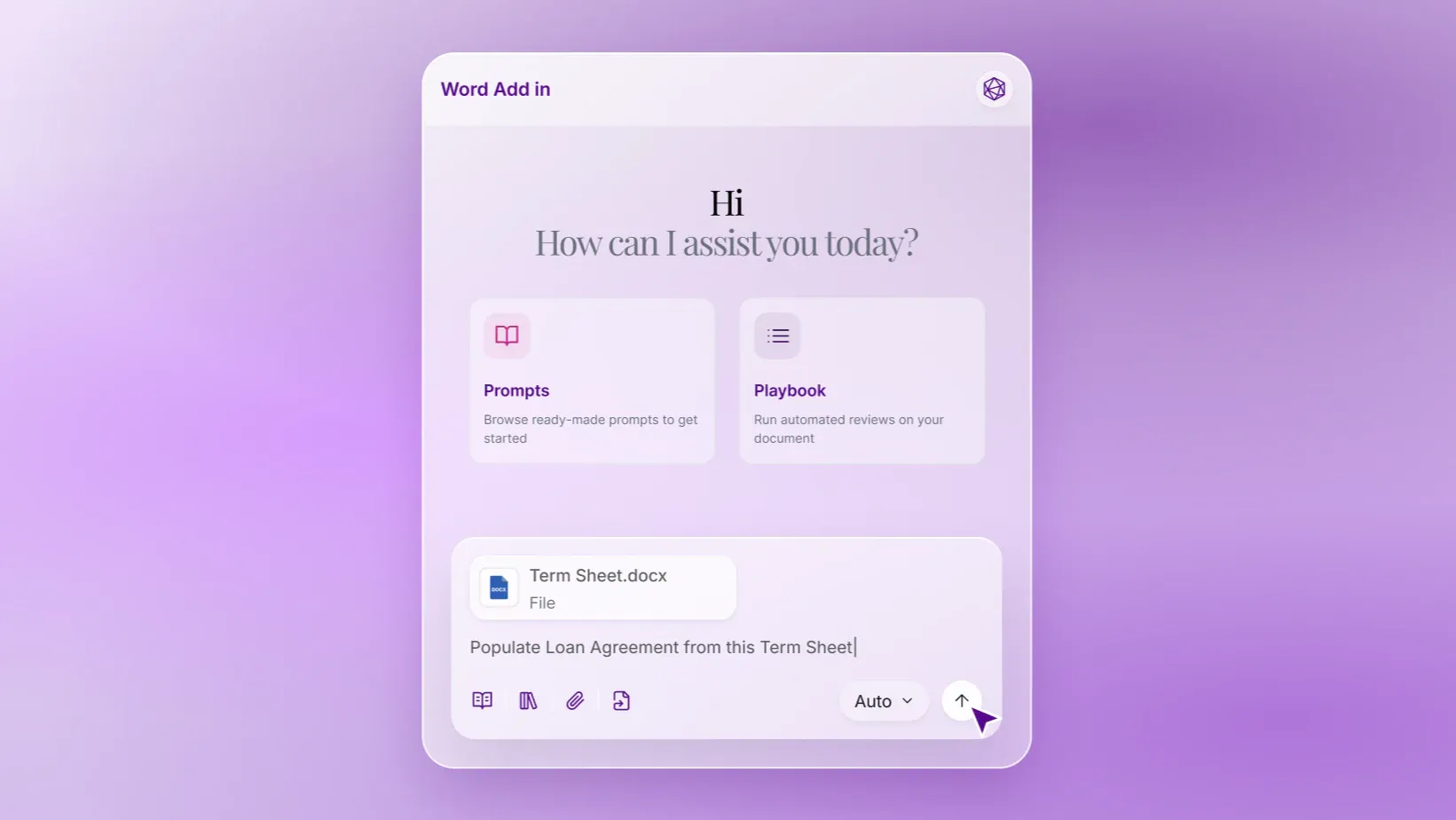
Populate
Auto‑populate new documents with relevant content from prior materials — such as drafting a loan agreement directly from a term sheet, a Legal500 submission directly from a Chambers one, or a SaaS Contract from an email.
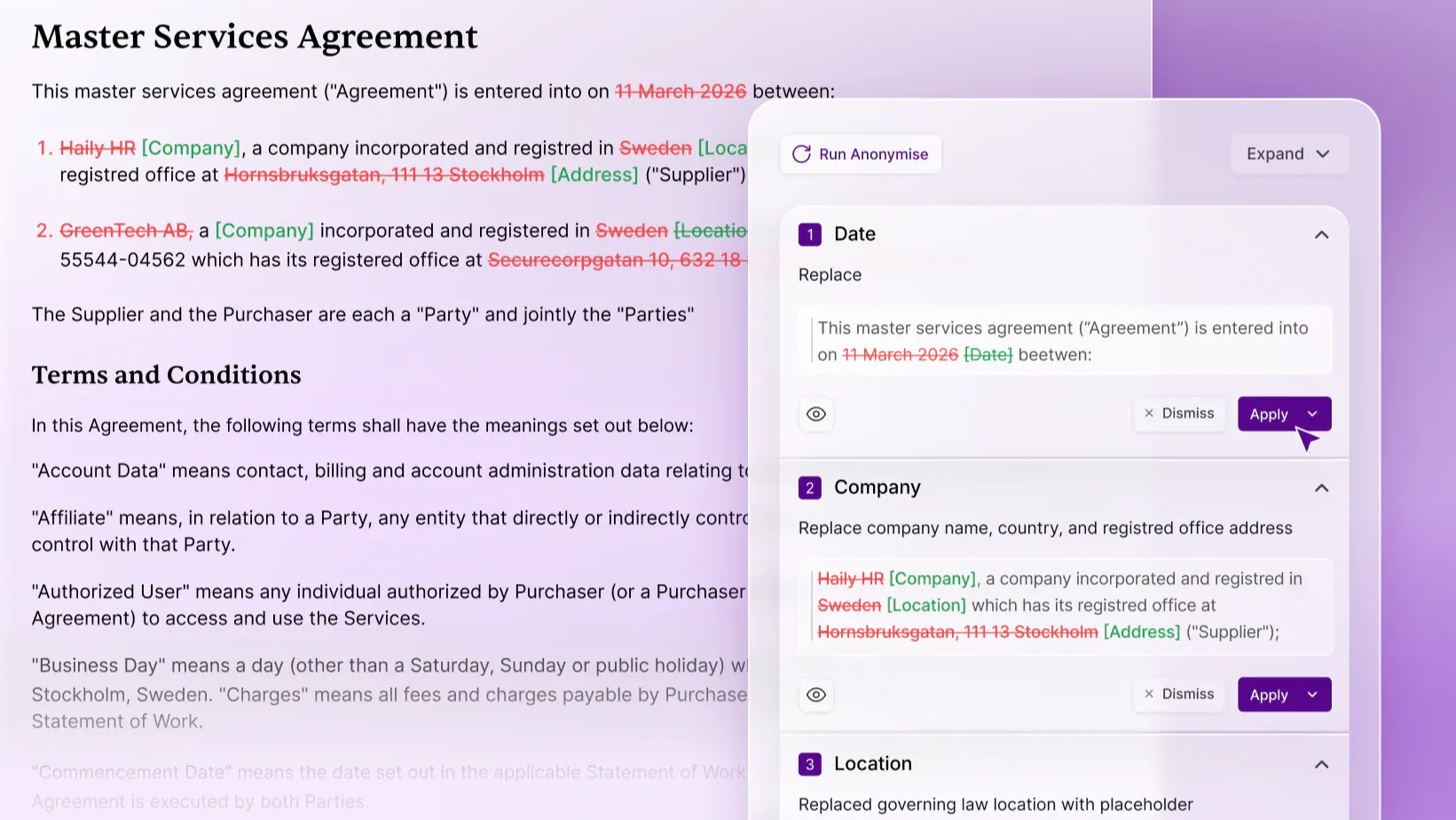
Anonymize
Anonymize documents directly in Word, remove sensitive information and apply placeholders for easy re-usability.